

Buy your weekday smoothies and get your weekend ones for free. (7 for the price of 5!)
WELLNESSWEEK
From a mockup to the document a factory quotes from.
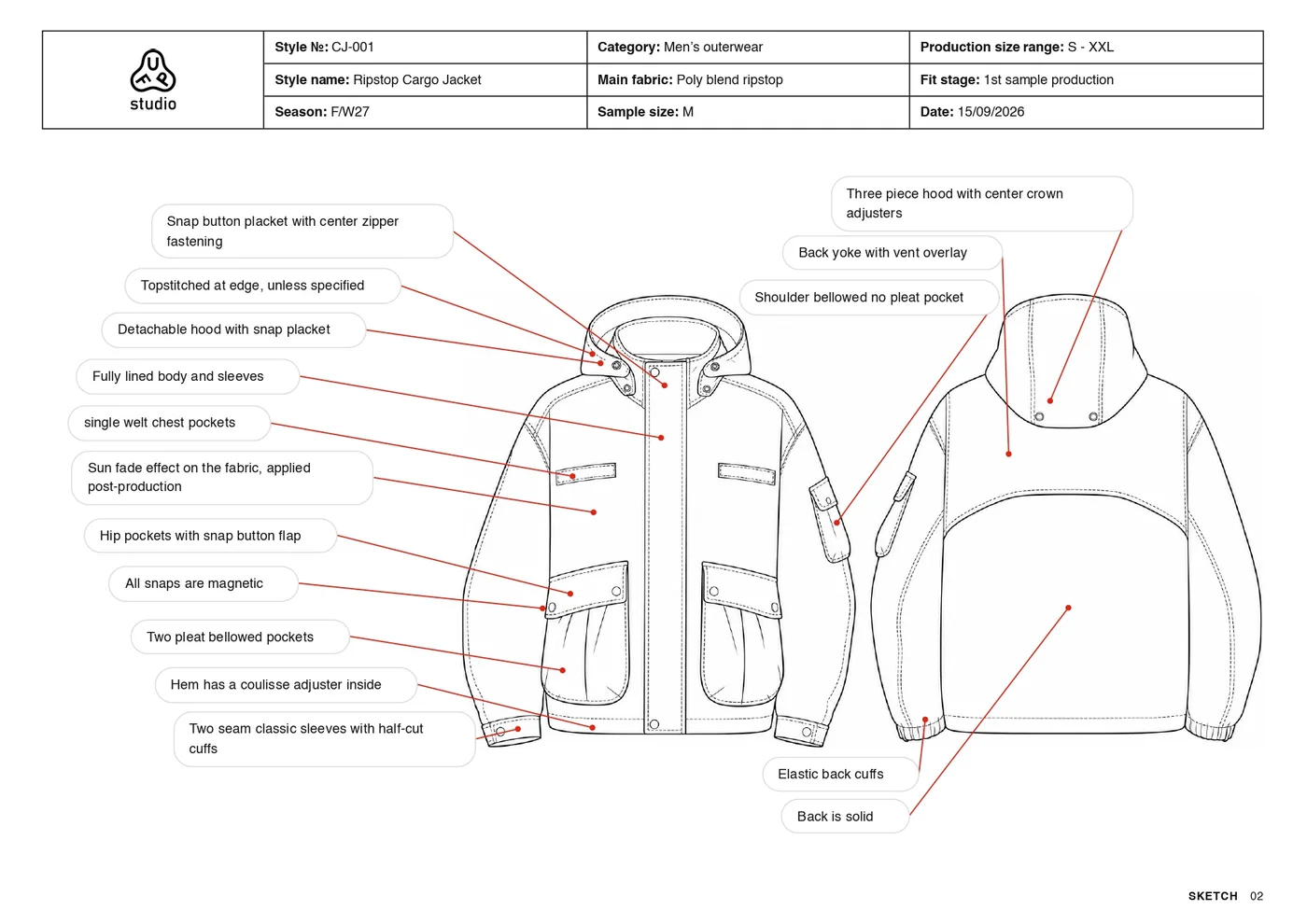
Start from your mockup, or from a sketch the app turns into one. The Tech Pack Generator writes the construction notes, the size spec, the bill of materials and the fabric card, and draws the pages you tick: technical flat, back view, fit, fabric, artwork and details.
250 free credits every month. No card needed.
Pick a mockup you made, or upload an image of the garment. A sketch, a flat or a photo of it worn? The generator turns it into a mockup first, for 30 credits.
The document comes with the mockup page, construction notes, size spec and bill of materials for 100 credits. Every page you tick is drawn for 30 more: technical flat, back view, fit, fabric, artwork, details.
Change any field, add notes with a line to the point they describe, put your logo in the header. Then print it or save it as a PDF for the factory.
The page above and the six below are the seven pages of one tech pack made with the generator, for a ripstop cargo jacket. The same document opens in the app as the example.
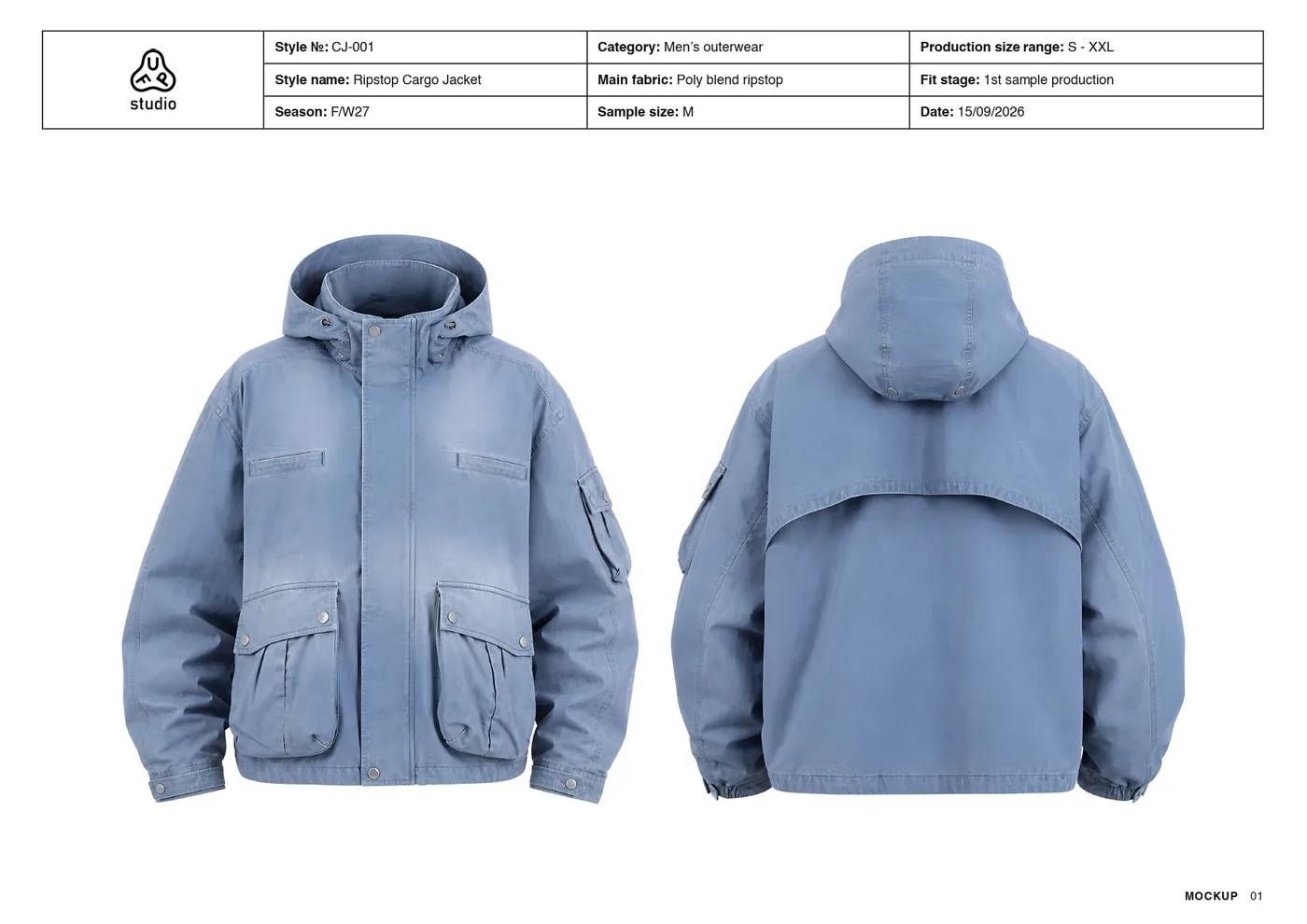 The garment, front and back
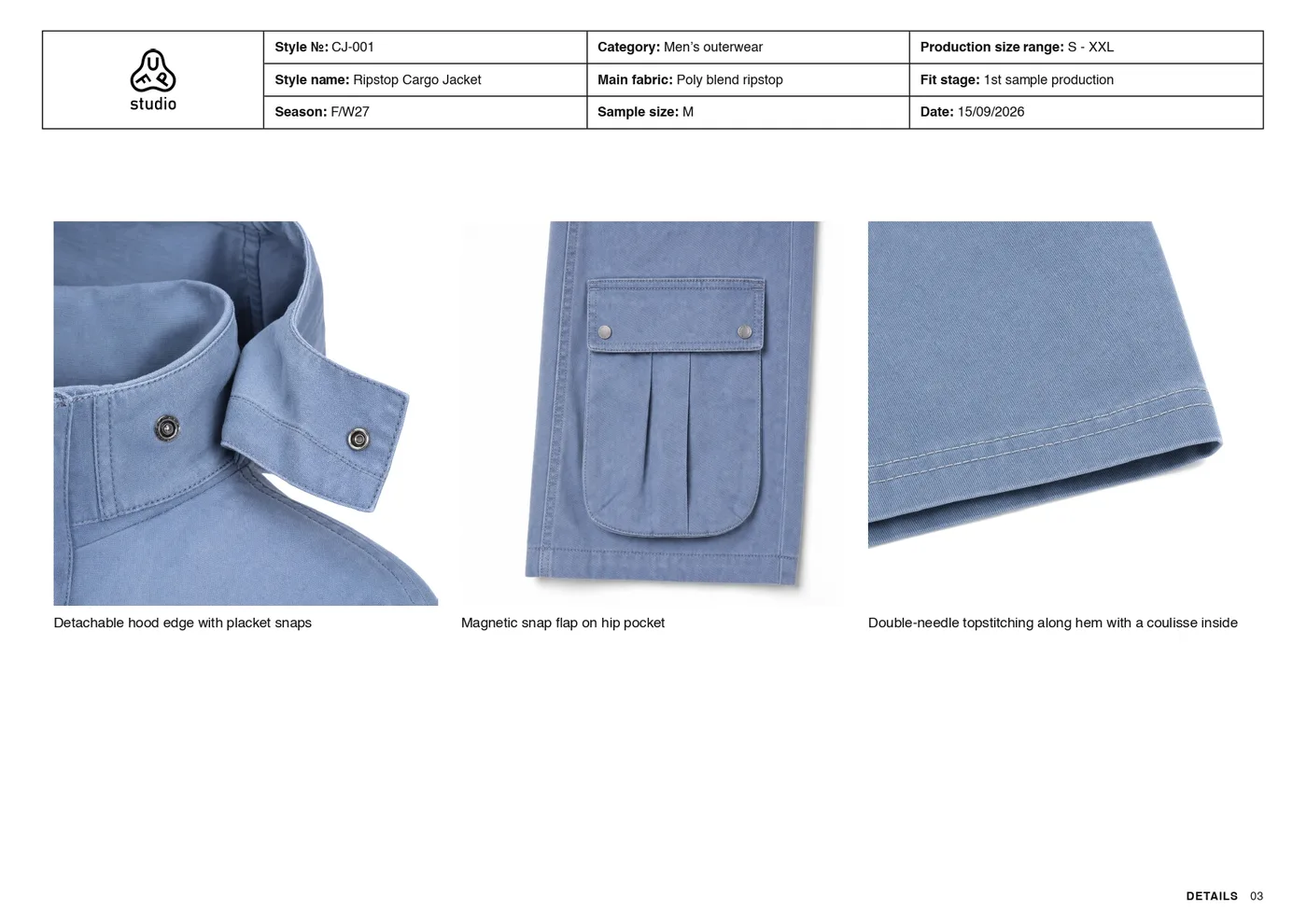 Detail close-ups
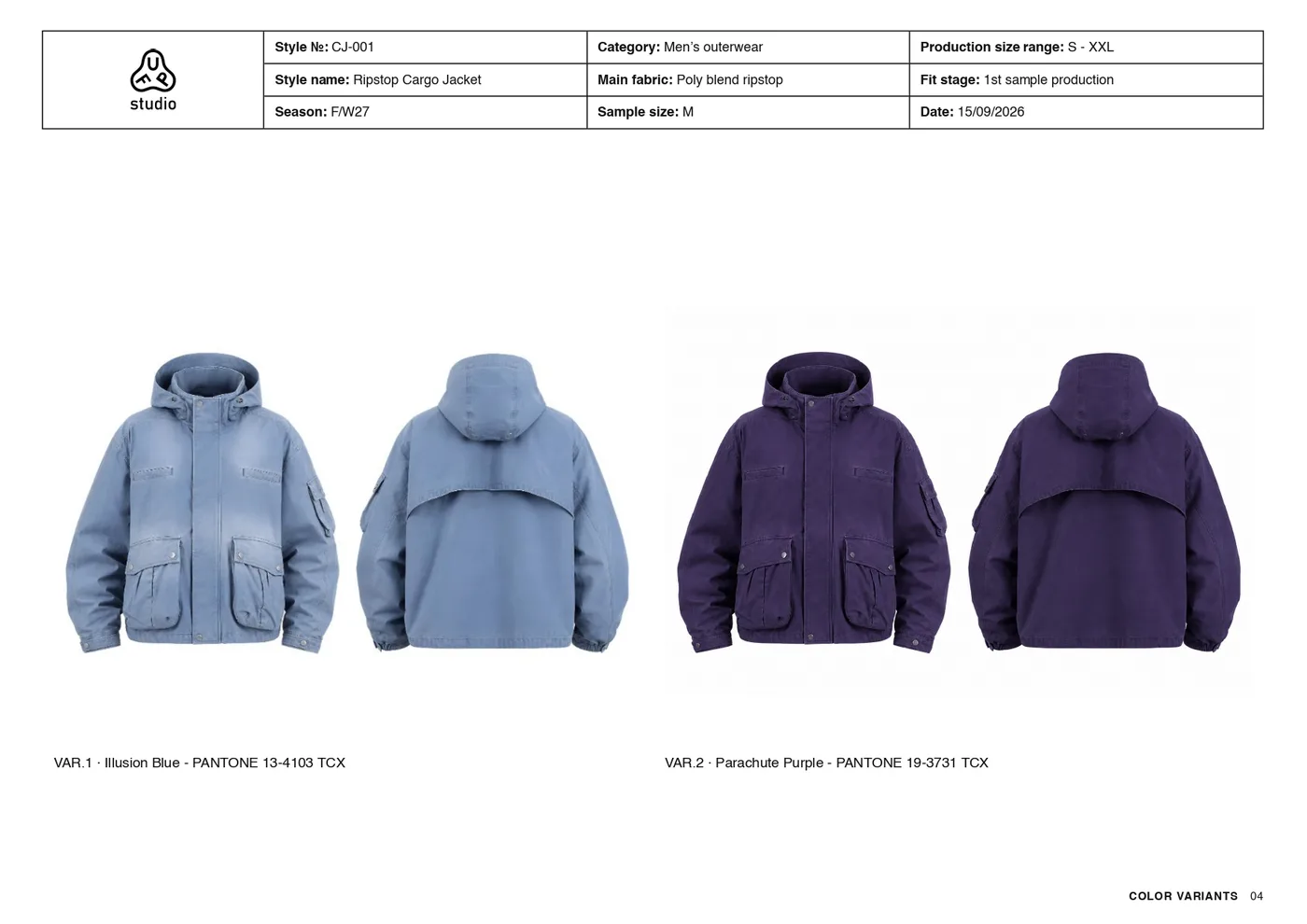 Colour variants with Pantone codes
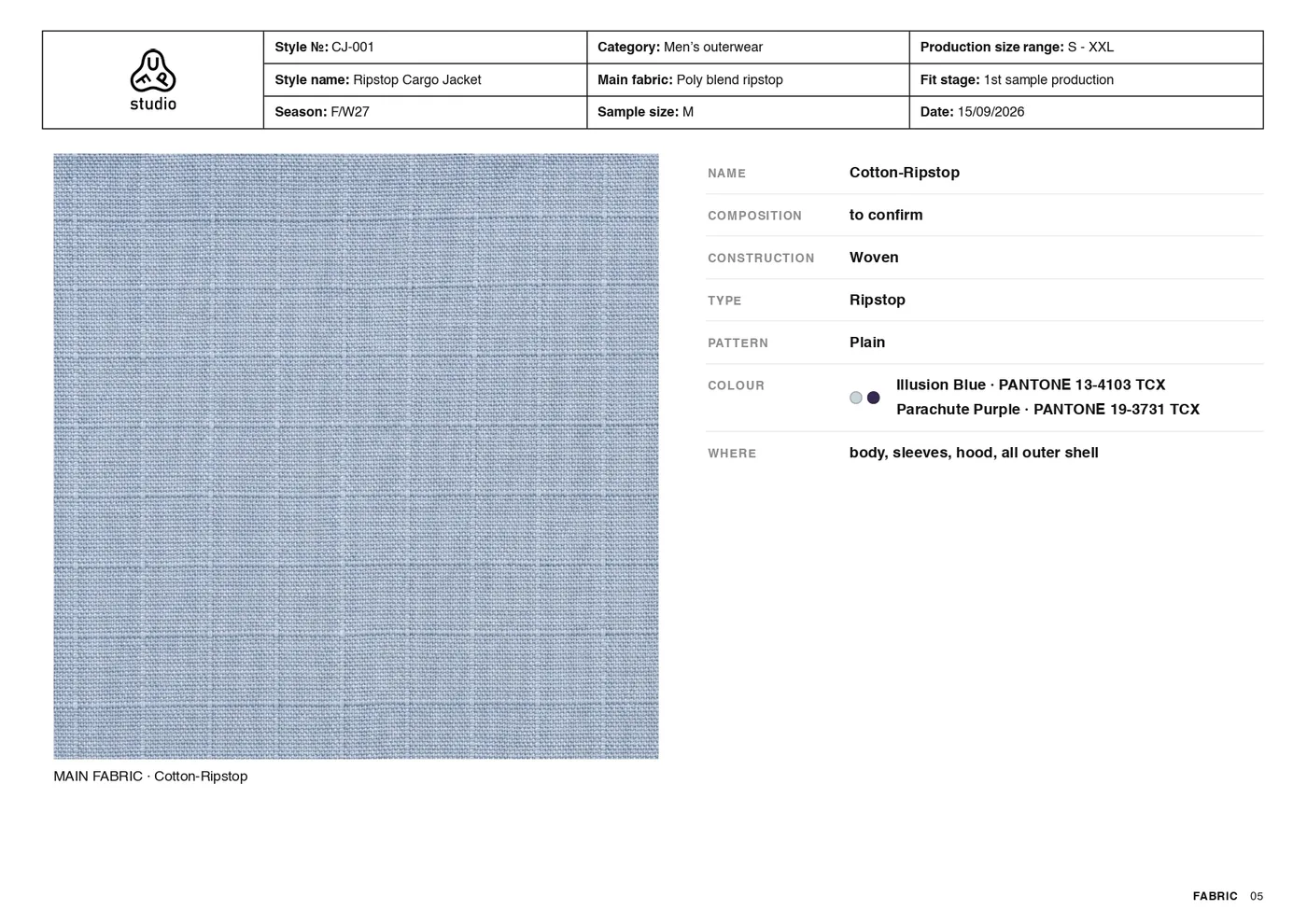 Fabric card
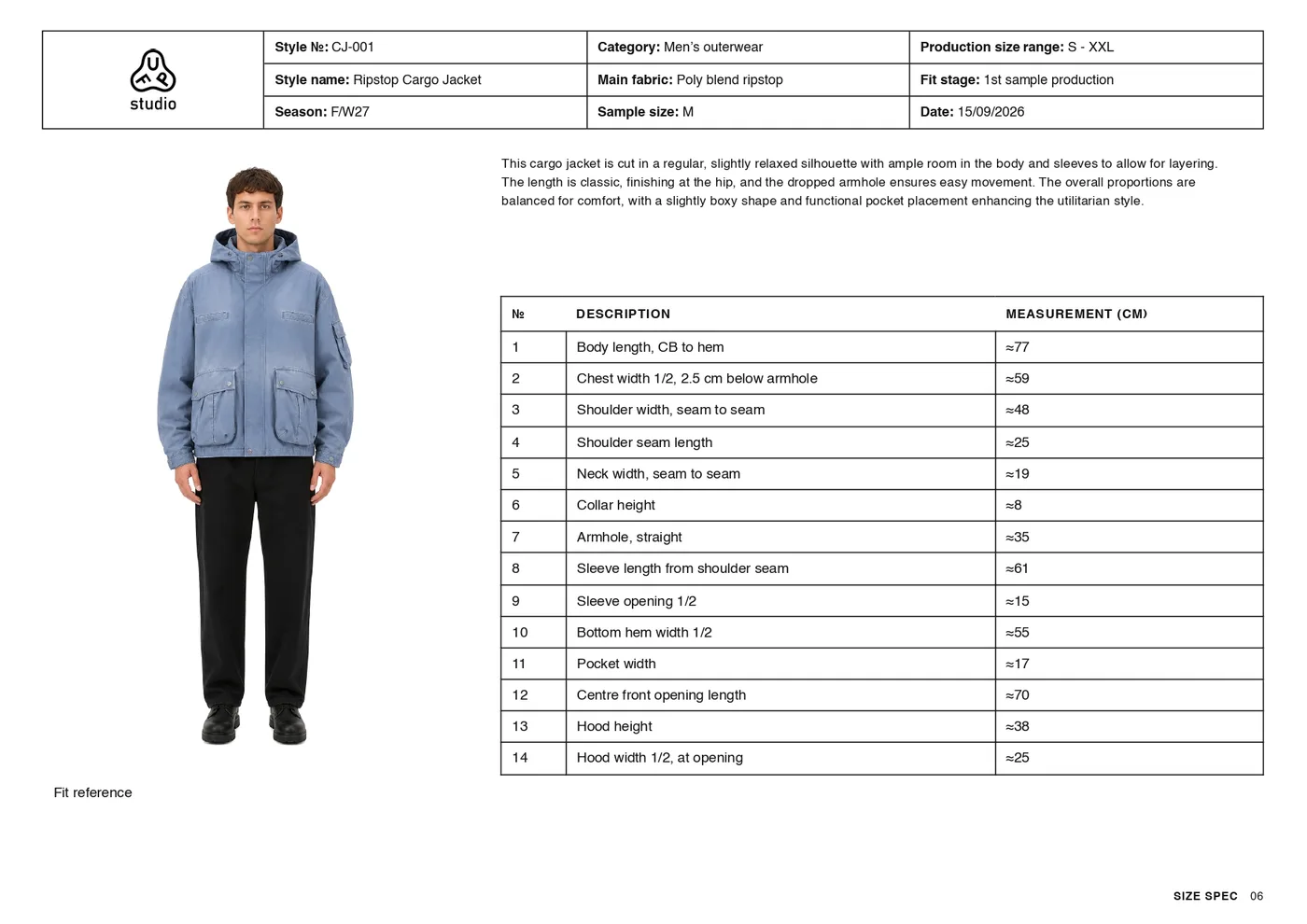 Size spec and fit
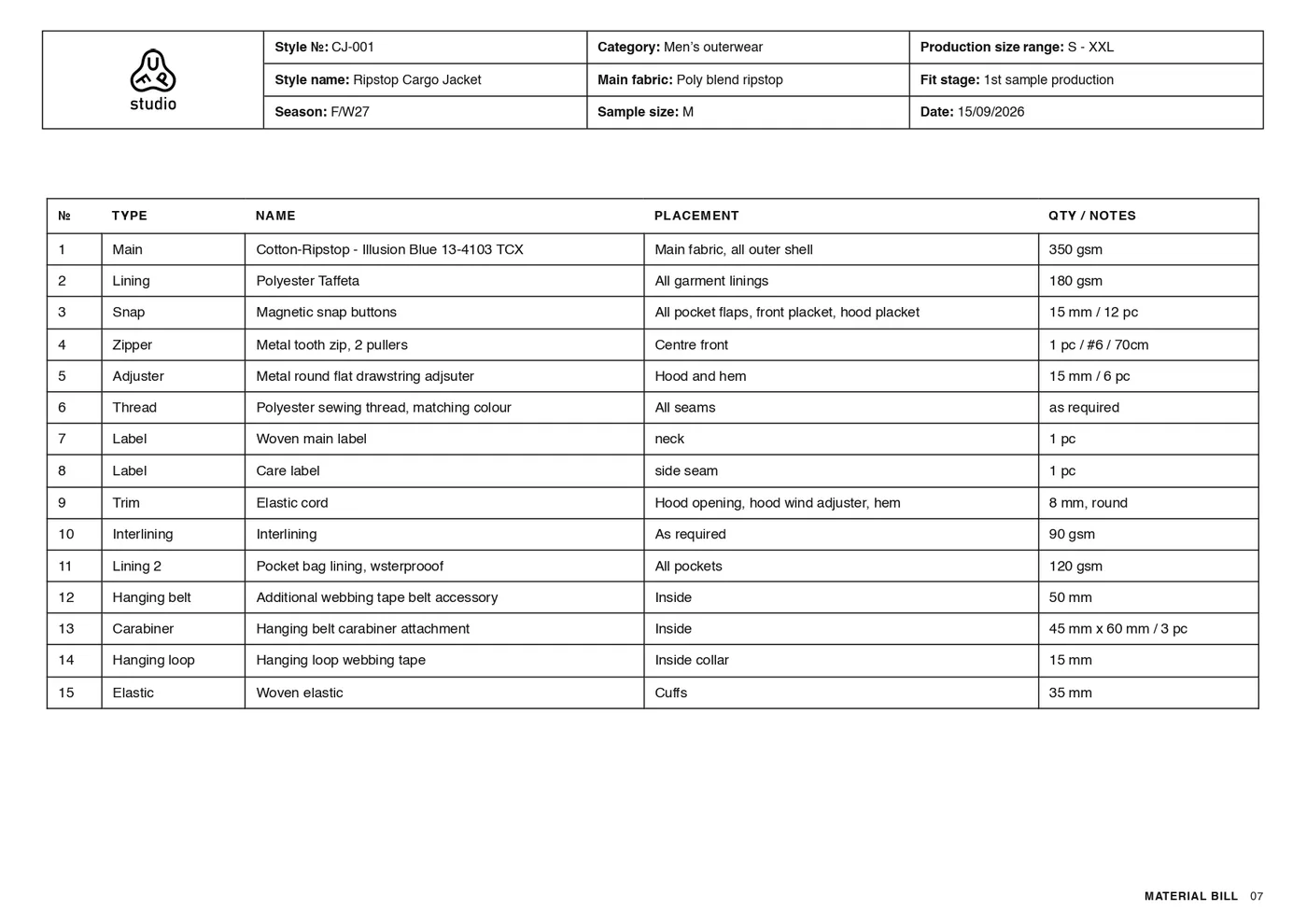 Bill of materials
Send several factories the same document, with the flat, the materials and the measurements, and compare their prices like for like.
Construction notes, detail close-ups and a size spec to confirm on the sample, so the maker knows what to build and what to check.
Add colour variants of the same garment with their Pantone TCX codes, next to the fabric card.
Make one from a sketch, a flat or a few words in the Mockup Generator, then bring it here.
Design the garment as a technical flat in the CAD Generator, turn it into a mockup, then build the tech pack.
Create the material in the Fabric Generator and dress the mockup in it: the tech pack picks up the fabric the garment wears, with its name and colours.
A tool that writes the technical document a factory needs to quote and sample a garment. In FUPstudio it starts from your mockup and puts together the construction notes, the size spec, the bill of materials and the fabric card, plus the pages you choose: technical flat, back view, fit, fabric, artwork and detail close-ups.
A mockup of the garment. Make it in the Mockup Generator, pick one from My Area, or upload your own image. If you upload a sketch, a technical flat or a photo of the garment worn, the generator offers to turn it into a mockup first, for 30 credits.
The document costs 100 credits and includes the mockup page. Every generated page adds 30 credits: the technical flat, the back view, the fit on a model, the fabric, the artwork and each detail close-up. A tech pack with the flat, the back view, the fit and two details costs 250 credits. Every account gets 250 free credits a month, no card needed.
That is what it is for: technical flat, construction notes, bill of materials, fabric card, size spec and colour variants with Pantone TCX codes. Measurements are estimates marked with ≈, to confirm on the first sample, and anything the image cannot tell, like the fibre composition, is marked to confirm.
Yes. Every field can be edited, and you can add notes with a line pointing at the garment. Details, colour variants, fabric and artwork pages can be added after the first round, and are paid when they are generated.
Yes. Upload your logo, or pick it from your graphics, and it sits in the header of every page. On Free and Starter a small GENERATED IN FUPSTUDIO line stays at the bottom; from the Designer plan the tech pack goes out without our mark.
Print it or save it as a PDF, one A4 landscape sheet per page. On Safari, choose Landscape in the print dialog.
Open the generator, pick a mockup or upload your garment, and tick the pages you need. Every account starts with free credits, no card needed.